From finding the story to finishing the edit. Solo Research, Solo Director, and Solo Editor connect through one agent workspace, helping a solo creator carry an idea through research, planning, filming, and post-production.
In active development and personal production use.
The Solo suiteIdea → Finished video
01 / Find the story
Solo Research
Turn a topic into evidence, comparisons, and an original video brief.
02 / Plan & film
Solo Director
Shape the idea into a shootable plan and stay organized on location.
03 / Edit & refine
Solo Editor
Build a finished story from real footage, with the creator in the loop.
One coordinating workspace
An agent carries context, decisions, and feedback across the tools. The creator guides the work and reviews the result.
The problem
Making a video alone means being researcher, producer, camera operator, and editor. Ideas, plans, footage, and feedback scatter across tools, so each stage starts by rebuilding context from the last.
My ownership
Product strategy, interaction design, application architecture, AI and agent integration, web, mobile, desktop, media processing, deployment, and ongoing iteration.
The design brief
Build for one person doing real production work. Carry useful context between stages, support field work and local footage, and keep creative judgment and review with the creator.
Three applications. One connected process.
From evidence to finished story.
01
Web · Research & analytics
Solo Research
A research workspace that keeps source videos, thumbnails, transcripts, comparisons, and idea revisions together. Connected owned-channel analytics bring retention and reach into the same research process.
Reusable research profiles with separate long-form and Shorts workflows
Explainable breakout comparisons and saved evidence
Owned-channel analytics, packaging history, and performance reviews
Versioned idea briefs and structured handoffs to production
Next.js · TypeScript · PostgreSQL · YouTube APIs
02
Web & Android · Production planning
Solo Director
A production companion for the person doing the planning and filming. Projects connect videos, scenes, shots, and takes, with AI-assisted planning and practical tools for the shoot itself.
Scripts, storyboards, shot lists, and a separate filming order
Reviewed AI planning and project edits with Apply and Undo
Teleprompter, QR slates, take tracking, and Android capture
Opt-in offline work, conflict recovery, and local media organization
Flutter · Dart · NestJS · PostgreSQL · SQLite
03
macOS · Local video editing
Solo Editor
An agent-operated editing engine with a native Mac review app. Footage analysis, transcript-led assembly, rendering, and timestamped feedback share a persistent project history beside the source media.
Source-grounded story preparation and speech-boundary checks
Horizontal and vertical edits, captions, graphics, and audio
Native playback with timestamped notes and tracked revisions
Local rendering and editable DaVinci Resolve handoff
One personalized agent entry point keeps the creator’s preferences, video briefs, decisions, and feedback together. It coordinates Research, Director, and Editor through their tools and saves useful learning for the next production.
Each application has its own responsibilities. Editor can work directly from footage and a brief; a Director project adds planning context when it is available.
Inside Solo Director
A plan you can take into the field.
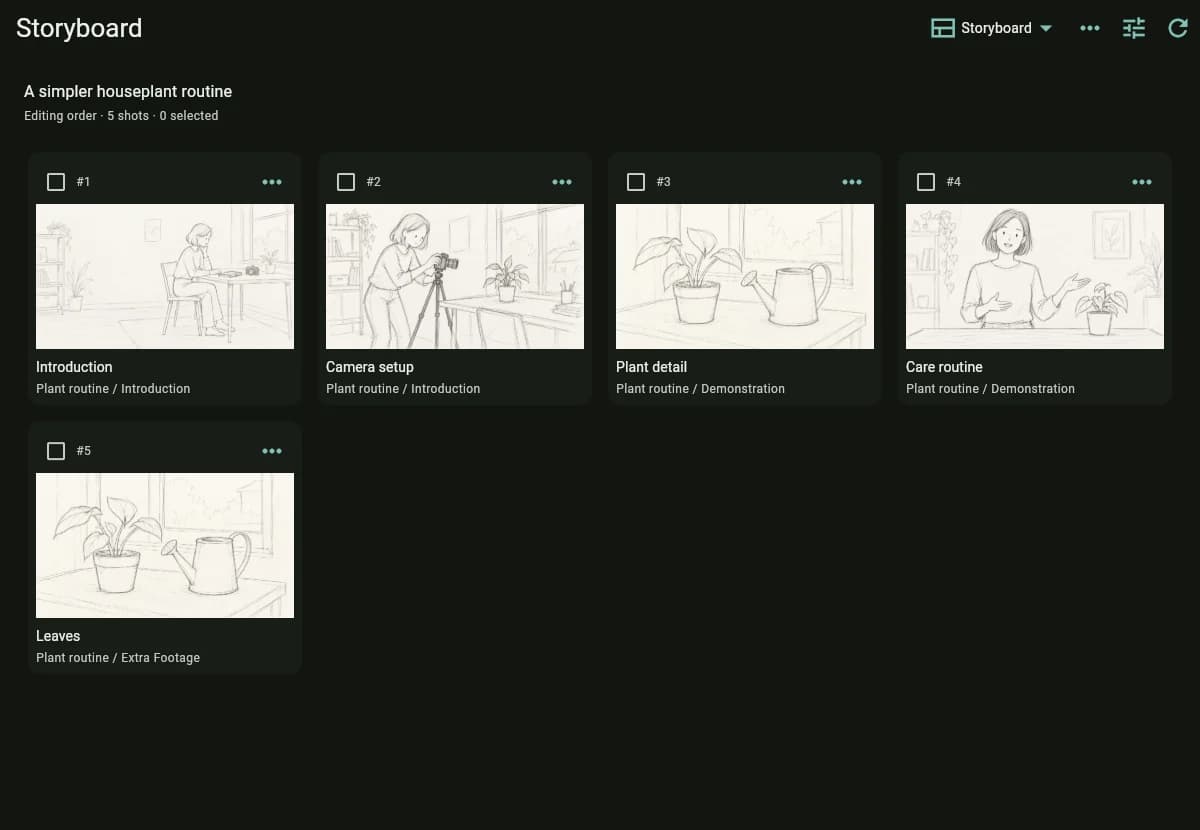
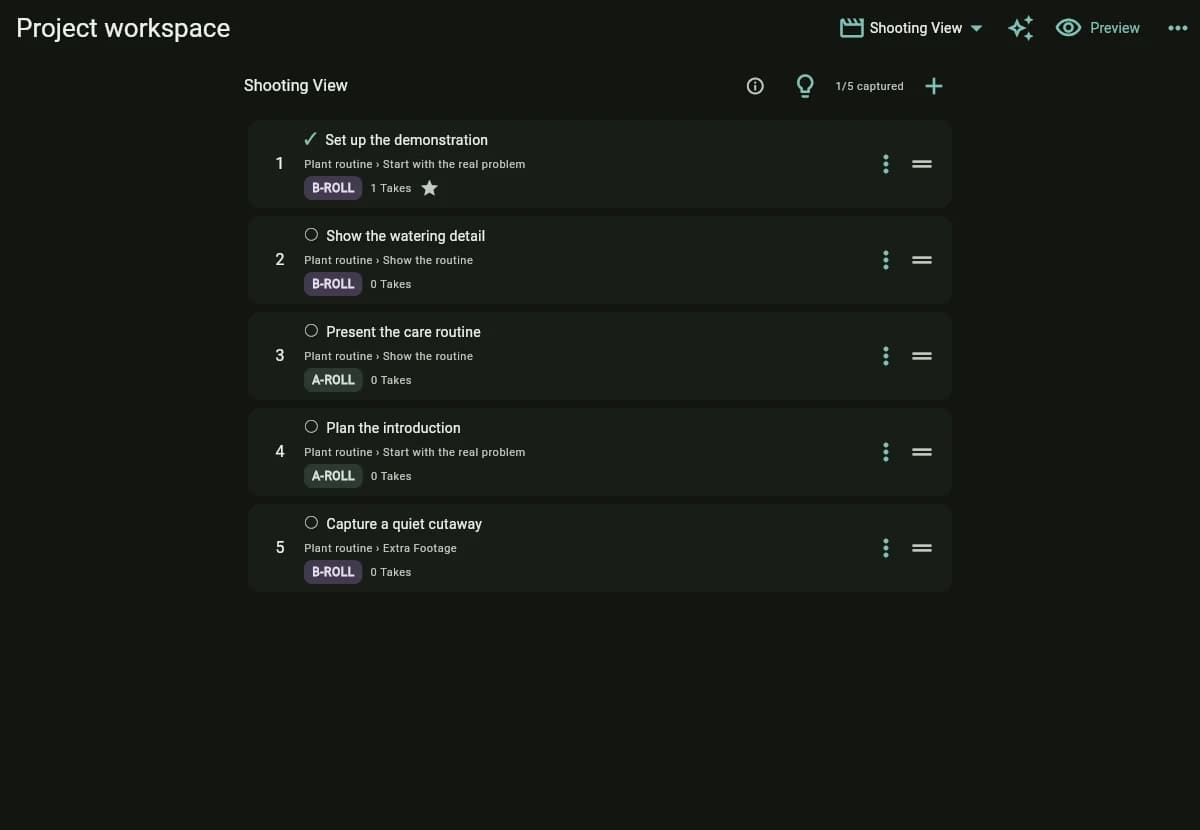
The same production moves from planning the story to deciding what to film next. These real interface captures use a fictional houseplant video; storyboard drawings are illustrative AI sketches.
Plan the story visually, with scenes and shots connected to the production.Follow a filming order built around practical capture, separate from the final story order.
Solo brings together the same work I take on for clients: understanding the problem, shaping the experience, and engineering the complete system around it.
Product architecture
Three focused applications and a shared workflow, with explicit boundaries and structured handoffs so each tool remains useful on its own.
AI that can do useful work
MCP tools connect agents to real application operations. Validated proposals, review points, and recoverable jobs keep changes inspectable.
Web, mobile, and desktop
A research web app, a shared Flutter planning client, Android filming tools, and a native macOS review app, each designed around its context of use.
Data and integrations
YouTube evidence, OAuth-connected channel analytics, versioned planning contracts, and persistent media records connect the workflow across services.
Media engineering
Transcription, frame-based assembly, captions, audio, multi-format rendering, and editable timeline export turn raw footage into reviewable deliverables.
Reliable operation
Cloud services, local processing, offline sync, migrations, job recovery, automated checks, and release workflows are part of the product.
Key decisions
What shaped the system.
01
Build around the whole job
A creator needs a worthwhile idea, a feasible shoot, and a finished story. I designed the boundaries around those jobs, then connected the tools through explicit handoffs that preserve the context behind each decision.
02
Give the agent real tools
The applications expose structured operations through MCP, the Model Context Protocol. The agent can collect evidence, prepare plans, and work on edits while the software validates changes, stores revisions, and keeps work resumable.
03
Put work where it belongs
Research and shared planning use cloud services. Filming supports offline work on the device. Editing and rendering stay local to the footage, with a native Mac app for review and a Resolve export for manual finishing.
04
Keep the creator in control
AI planning changes are reviewable, editing feedback is tied to timestamps, and earlier revisions remain available. A useful assistant needs clear decisions, recoverable operations, and a way for the creator to judge the actual result.
Current state
Built, used, and still evolving.
Solo is my latest independent product work, in active development and personal production use. Director is an alpha with a public web entry point and Android workflows. Research and Editor are working tools in my own production setup; the suite is not presented as a generally available commercial release.
The feedback loop
Using the tools on real productions exposes the details a prototype misses: lost context, interrupted jobs, awkward field workflows, and revisions that need to survive. Those lessons feed back into the product and its engineering.
 01